Ray‑Ban Meta Gen 2 glasses blend iconic Ray‑Ban Wayfarer styling with Meta’s latest smart‑glasses hardware, giving you a camera, earbuds, and AI assistant in one discreet frame. Shop Ray‑Ban Meta AI Glasses (Referral)
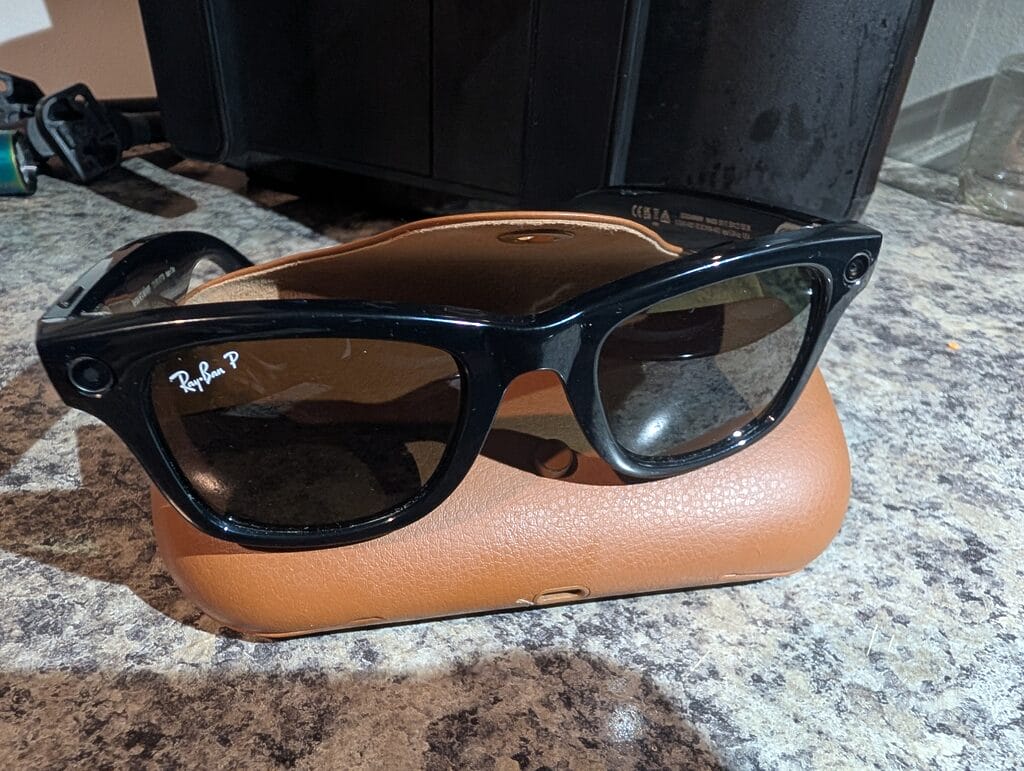
Unlike traditional headphones or camera glasses, Ray‑Ban Meta packs an ultra‑wide camera, open‑ear speakers, microphones, and Meta AI into frames that still look like classic Ray‑Bans. You can capture photos and videos, take calls, listen to music, and ask questions with a simple voice command, all while keeping your phone in your pocket.
Core Features at a Glance
- Classic Ray‑Ban design – Wayfarer-inspired frames that look like normal glasses instead of bulky tech hardware.
- Built‑in camera – Ultra‑wide front-facing camera for hands‑free photos and short videos from your point of view.
- Open‑ear audio – Discreet speakers in the arms for music, podcasts, and calls while staying aware of your surroundings.
- Meta AI assistant – Ask questions, control features, and trigger recordings by voice using Meta AI (availability varies by region).
- Companion app – Manage settings, sync media, and update firmware from your phone.
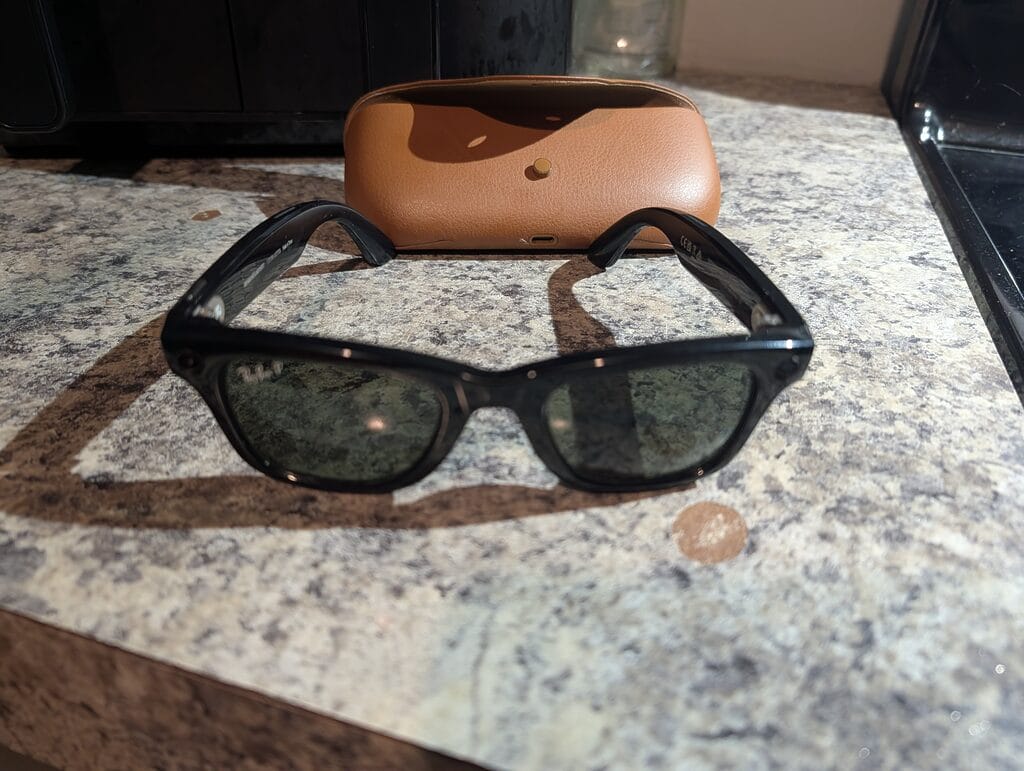
For anyone who wants camera glasses that do not scream “gadget,” these frames fit into everyday outfits while quietly adding hands‑free capture and audio.
Comfort, Fit, and Everyday Use
The Meta Gen 2 frames feel very close to a regular pair of Ray‑Ban Wayfarers in day‑to‑day use. The arms are slightly thicker to house the electronics and speakers, but the weight distribution is good enough for all‑day wear for most people. If you already like standard Ray‑Ban sizing and fit, you will likely be comfortable in these as well.

Open‑ear speakers mean you can still hear traffic, coworkers, or people at home while listening to music or taking calls. Volume is best suited for indoor or moderate outdoor environments; extremely loud places will still be challenging, just like any other open‑ear design.
Charging Case and Battery Life
The charging case is where a lot of the real‑world usability comes from. It protects your glasses when you are not wearing them and tops up the battery between uses, similar to a wireless earbuds case. This combo makes it easy to use the glasses in short bursts throughout the day without worrying about them dying at an inconvenient time.

Battery life will vary depending on how much video you record and how often you use Meta AI or calls, but the case makes it easy to top up while you are at your desk or between outings. Just drop the glasses into the case and let them recharge while being safely stored.

Real‑World Use: Photos, Video, and AI
In daily life, the biggest advantage is the ability to capture quick, hands‑free clips from your own point of view. Walking, biking, playing with pets, or working on projects all become easier to document without juggling a phone. The built‑in camera is tuned for social content and memories rather than professional cinematography, but for that purpose it works well.
Meta AI can also help with simple queries, reminders, and controlling the glasses, though the exact feature set depends on your region and account. Over‑time updates may add or refine features, since much of the AI experience is handled in software.
Who These Glasses Are For
- People who want camera glasses that look like regular Ray‑Bans instead of chunky AR headsets.
- Content creators who need hands‑free, POV‑style clips for social media or personal projects.
- Busy parents, commuters, or hobbyists who often wish they had a third hand to capture moments.
- Anyone curious about wearable AI that does not feel like a huge style compromise.
If you already enjoy Ray‑Ban frames and want an easy way to capture more of your life without pulling out your phone, these glasses are a natural upgrade.
Where to Buy (Referral Links)
You can purchase Ray‑Ban Meta Gen 2 smart glasses directly from Meta or Ray‑Ban using the links below. These are referral links that may support this site at no extra cost to you if you decide to buy.
Always check the product pages for current pricing, styles, and availability in your region.
Review Round‑Up and Community Feedback
For a deeper dive into specs, real‑world use, and expert opinions, it is worth reading a couple of detailed reviews and community threads. These can give you a feel for audio quality, camera performance, and long‑term comfort before you buy.
- Popular Mechanics review of Ray‑Ban Meta smart glasses
- Reddit thread: thinking about getting Meta Ray‑Ban smart glasses
Affiliate Disclosure
Some links on this page are referral or affiliate links. If you purchase through them, this site may earn a small commission at no extra cost to you. This helps support future reviews, how‑tos, and updates about smart glasses and other wearable tech.